UI/UX Design Course Syllabus

This UI/UX Design course provides a structured learning approach to understanding user interface and user experience design. Students will gain hands-on knowledge of design principles, usability concepts, and modern design tools to build effective and engaging digital products. The course is suitable for beginners and working professionals aiming to enhance their design capabilities.


Course Duration: 12 Weeks

Course Objectives:

  • Understand fundamental UI/UX principles and methodologies.
  • Gain proficiency in industry-standard design tools such as Figma, Adobe XD, and Sketch.
  • Learn how to conduct user research and usability testing.
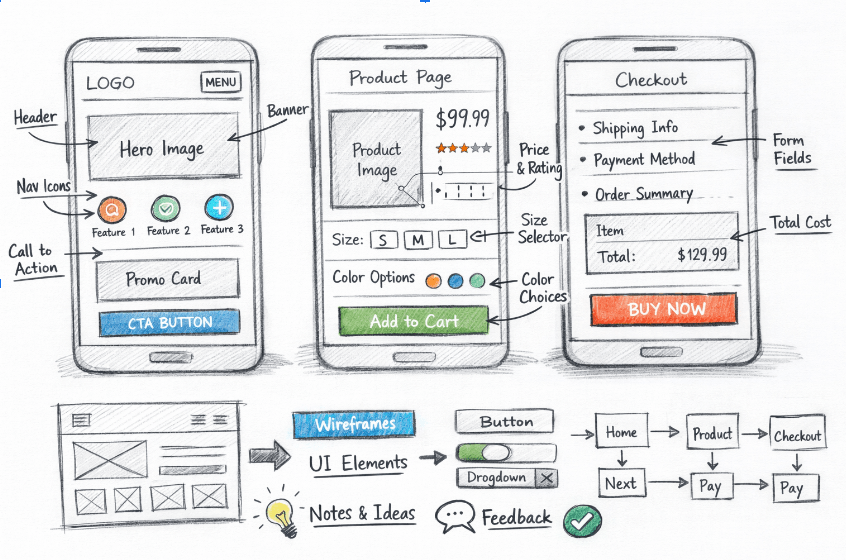
  • Develop wireframes, prototypes, and high-fidelity designs.
  • Apply design thinking and problem-solving skills to real-world projects.

Module 1: What is Design

  • Purpose & function

  • Problem solving

  • Research & ideation

  • Prototyping, testing, refinement

Module 2: Introduction to UIUX Design

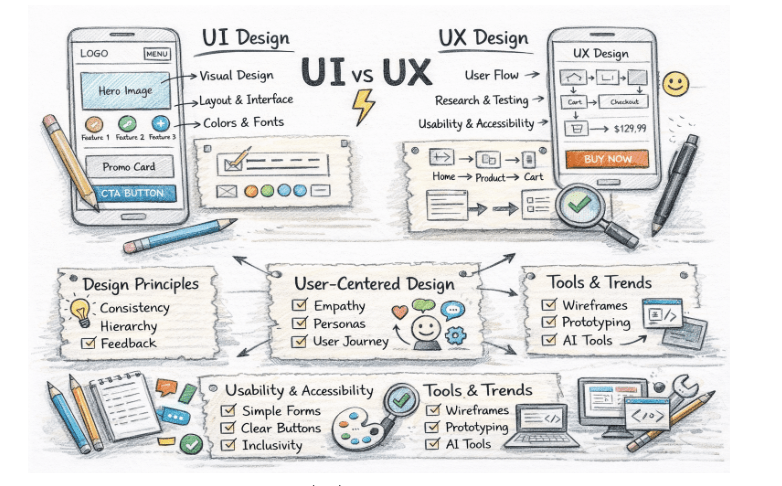
  • UI vs UX

  • Design principles
  • User-centered design

  • Usability & accessibility

  • Tools & trends

Module 3: Tools & Plugins (AI)

  • AI design tools
  • Prompt Crafting
  • Workflow efficiency
  • Innovation & future readiness

Module 4: Strucuture and Navigation

  • Content organization
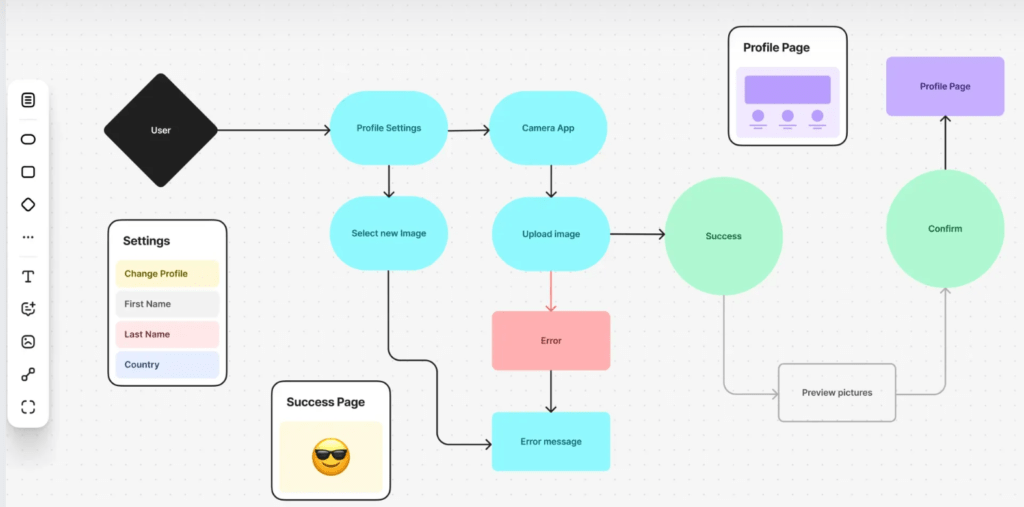
  • User flows
  • Information architecture
  • Usability enhancements

Module 5: Layout

  • Grid systems
  • Alignment & spacing
  • Visual hierarchy
  • Responsive design
  •  

Module 6: Typography

  • Legibility & readability

  • Contrast & hierarchy
  • Accessibility
  • Type pairing

Module 7: Color Theory & Combinations

  • Hue & saturation
  • Contrast
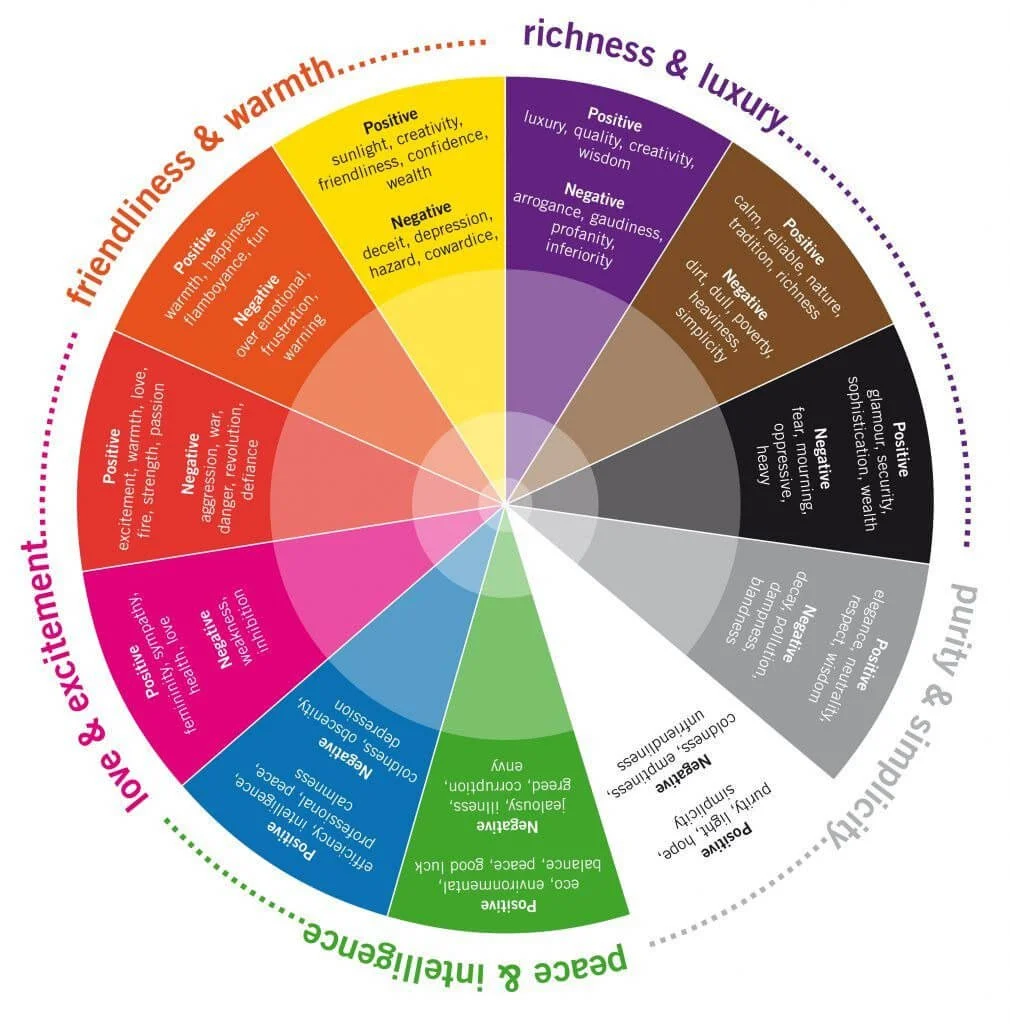
  • Color psychology
  • Harmony

  • Accessibility

Module 8: Icons & Images

  • Icon principles

  • Consistency & scalability

  • Storytelling with images
  • Optimization & accessibility

Module 9: Forms & Elements For Forms

  • Form types
  • Inputs & controls
  • Validation & errors

  • Usability & accessibility

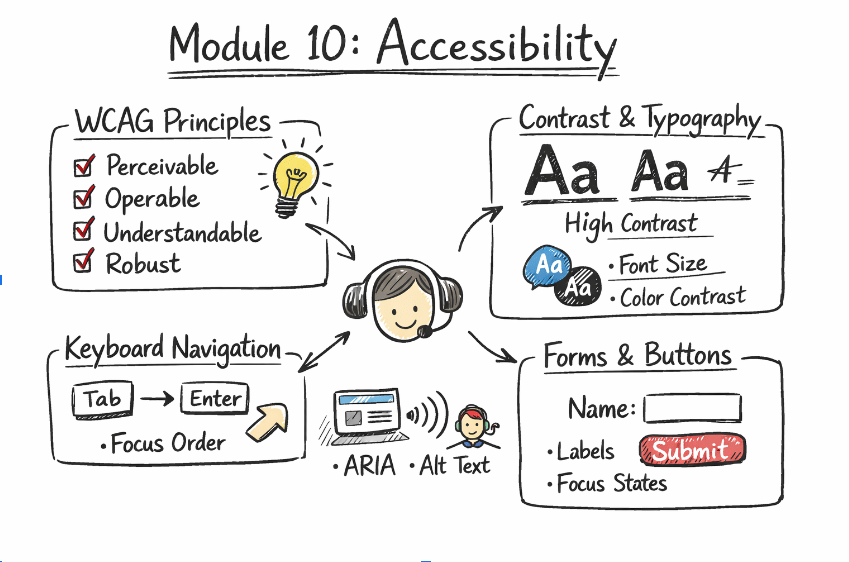
Module 10: Accessibility

  • WCAG principles
  • Contrast & typography
  • Keyboard navigation
  • Screen readers

  • Forms & buttons

Module 11: Design Principles

  • Balance & alignment

  • Contrast & emphasis
  • Consistency & Simplicity
  • User-centered design
  • Usability

Module 12: 5 Element of UX

  • Strategy

  • Scope

  • Structure
  • Skeleton
  • Surface

Module 13: UX Design Process

  • Research
  • Ideation
  • Wireframing & Prototyping
  • Testing & Iteration
  • Implementation

Module 14: UX Writing

  •  Microcopy principles
  • Buttons, errors & navigation
  • Tone & voice
  • Consistency
  • Accessibility & inclusive language

Module 15: Simplified UX

  • Minimalism
  • Reduce cognitive load
  • Clear navigation
  • Content hierarchy
  • Accessibility & usability best practices

Module 16: What is MVP?

  • Define core features
  • Functional prototype
  • Validate with users
  • Iterate from feedback
  • Optimize resources
Jeevi Academy
Jeevi Academy
Leave Comment
Enroll Now
Enroll Now
Enquire Now