

Introduction.
In today’s rapidly evolving cloud landscape, managing multiple AWS accounts effectively has become a critical challenge for organizations of all sizes. Whether you’re a startup scaling your infrastructure or an enterprise with complex cloud architectures, the need for streamlined account management, governance, and security is paramount. This is where AWS Organizations comes into play.
AWS Organizations is a powerful service that allows you to centrally manage and govern multiple AWS accounts. It simplifies cloud resource management and enables you to implement best practices in security, compliance, and cost management. By providing a consolidated view of your AWS environment, AWS Organizations enables organizations to enforce policies, automate workflows, and ensure that each account follows established governance protocols.
The core feature of AWS Organizations is its ability to create a hierarchical structure of accounts, making it easier to organize resources and manage permissions at scale. By grouping accounts into organizational units (OUs), organizations can delegate control, enforce Service Control Policies (SCPs), and apply consistent policies across all accounts in an efficient, scalable manner. This is particularly valuable for enterprises with numerous teams or departments operating in separate AWS accounts.
Additionally, AWS Organizations offers centralized billing, a feature that consolidates multiple accounts’ billing information into a single payment, offering significant cost management advantages. With consolidated billing, organizations can take advantage of volume discounts, simplify invoice management, and gain better visibility into spending across accounts.
Moreover, security and compliance are often top concerns when managing large cloud infrastructures. AWS Organizations provides robust tools to set up centralized security controls and enforce consistent policies across accounts. Service Control Policies (SCPs) offer fine-grained access management, allowing organizations to limit or expand access to AWS services based on specific requirements. This level of control is vital to maintaining a secure cloud environment and ensuring compliance with industry regulations.
For developers and system administrators, AWS Organizations enhances collaboration by making it easier to manage identities and access permissions. Using AWS Identity and Access Management (IAM), roles can be assigned at the organizational level, granting access based on job roles, improving the efficiency of team workflows while maintaining security best practices.

In this blog post, we will explore how AWS Organizations can transform your cloud management strategy. We’ll cover essential concepts, including organizational units, Service Control Policies, centralized billing, and account management best practices. Whether you’re new to AWS or looking to optimize your existing infrastructure, understanding AWS Organizations is crucial for achieving scalable, secure, and cost-efficient cloud management.
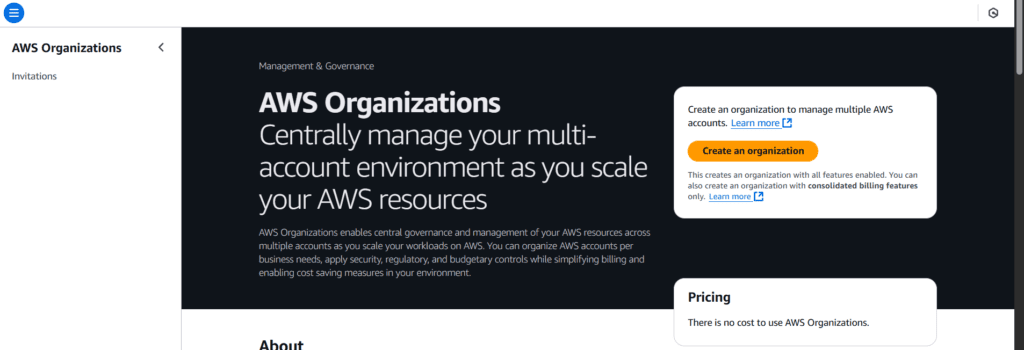
STEP 1: Navigate the AWS Organization and click on create.
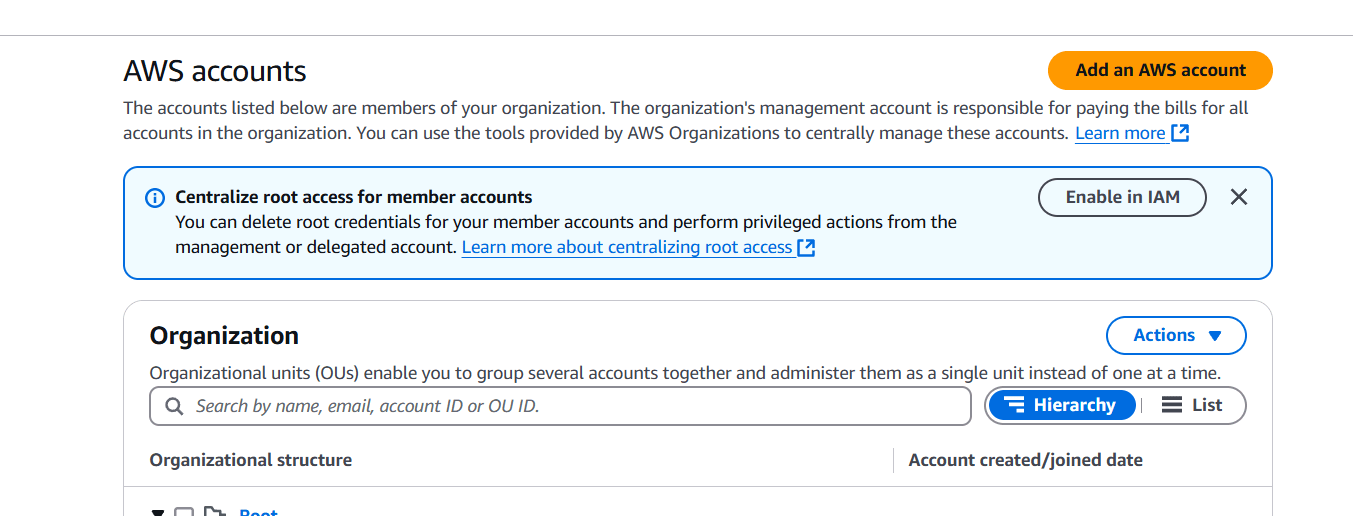
STEP 2: Click on Add AWS Account.
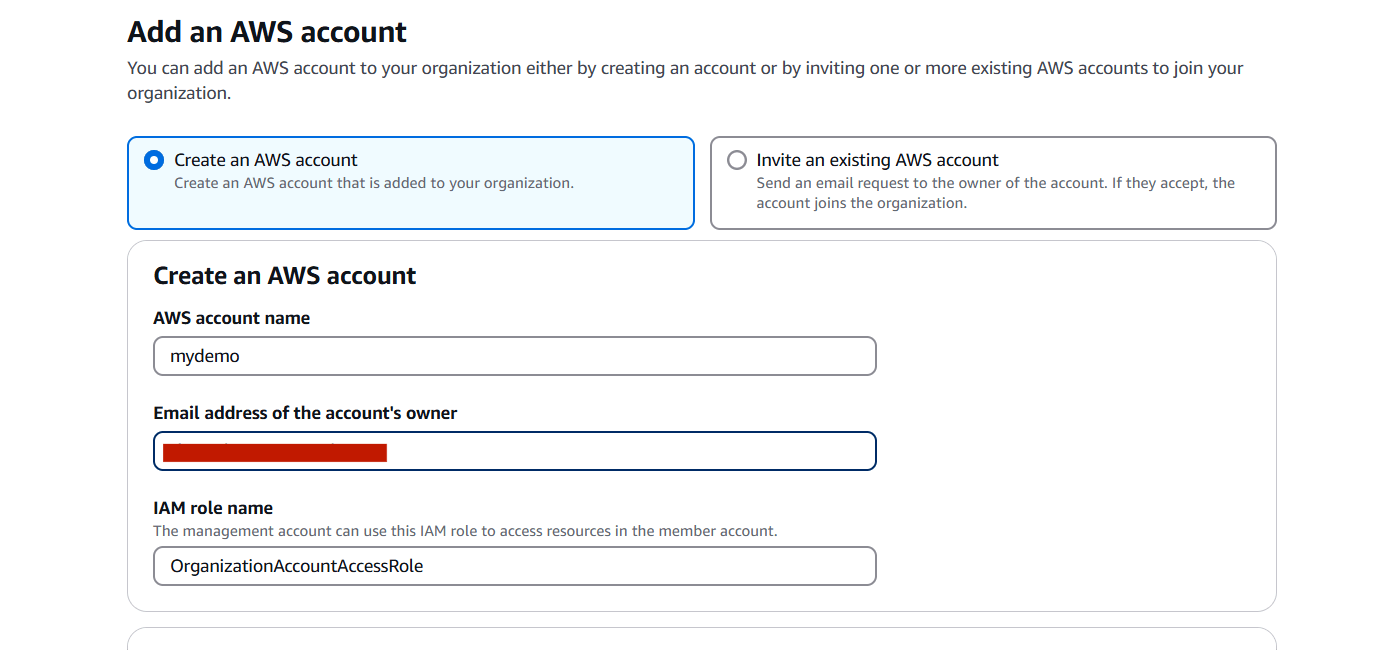
STEP 3: Enter the name and mail ID and click on create.
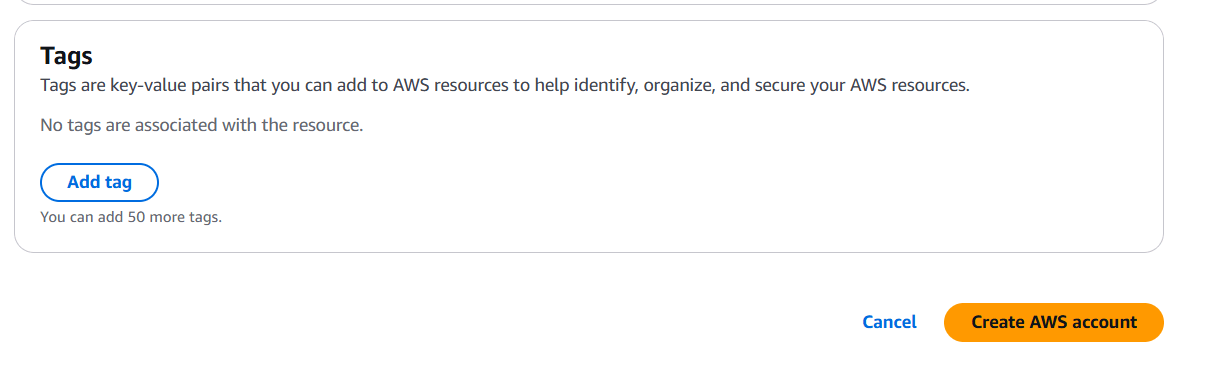
STEP 4: Click on list button and show your created one.

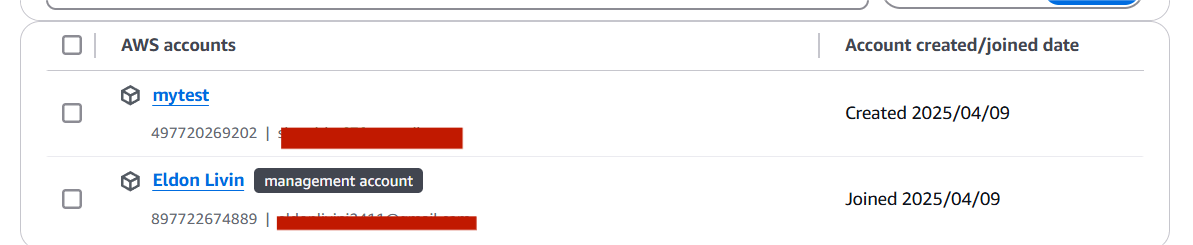
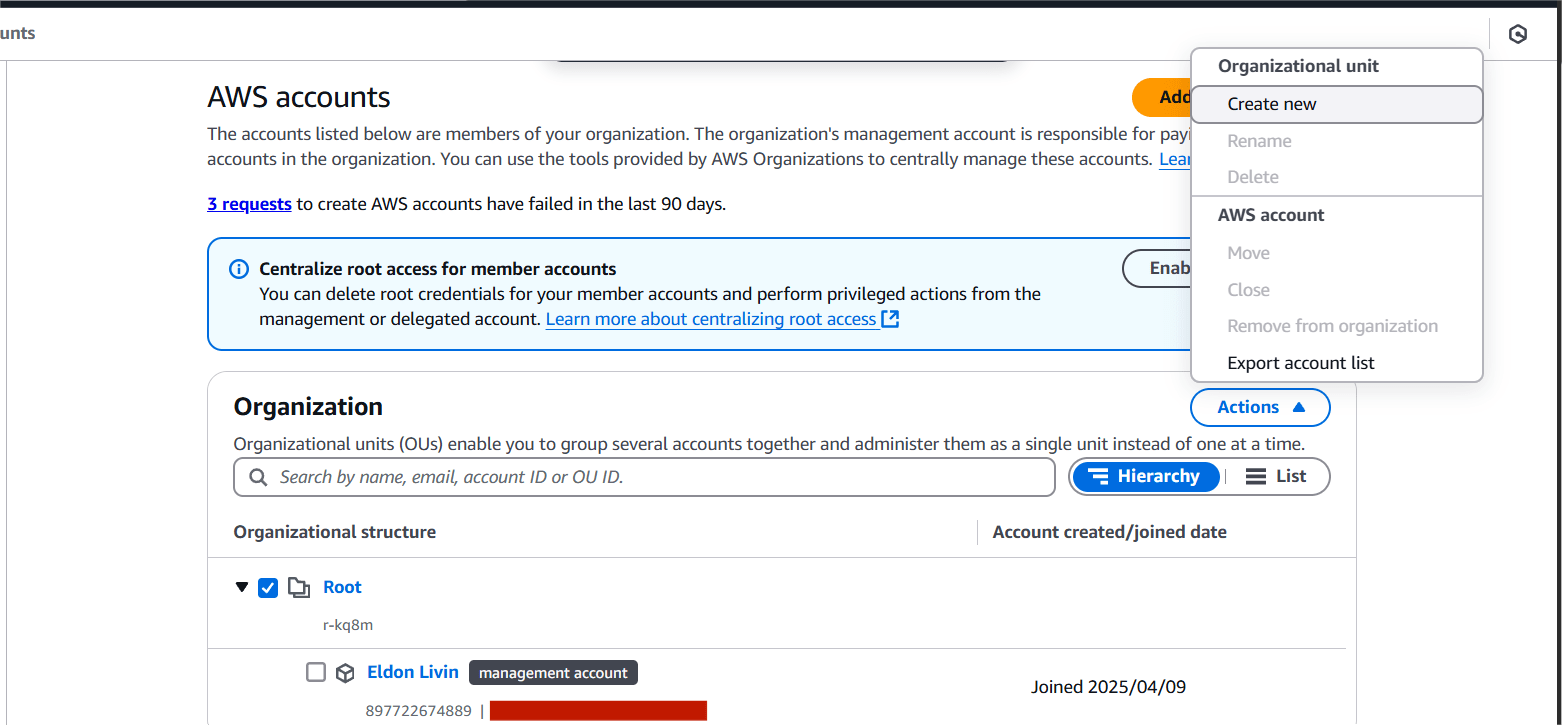
Creating Organization Unit (OU).
STEP 1: Select the root and click on create new.
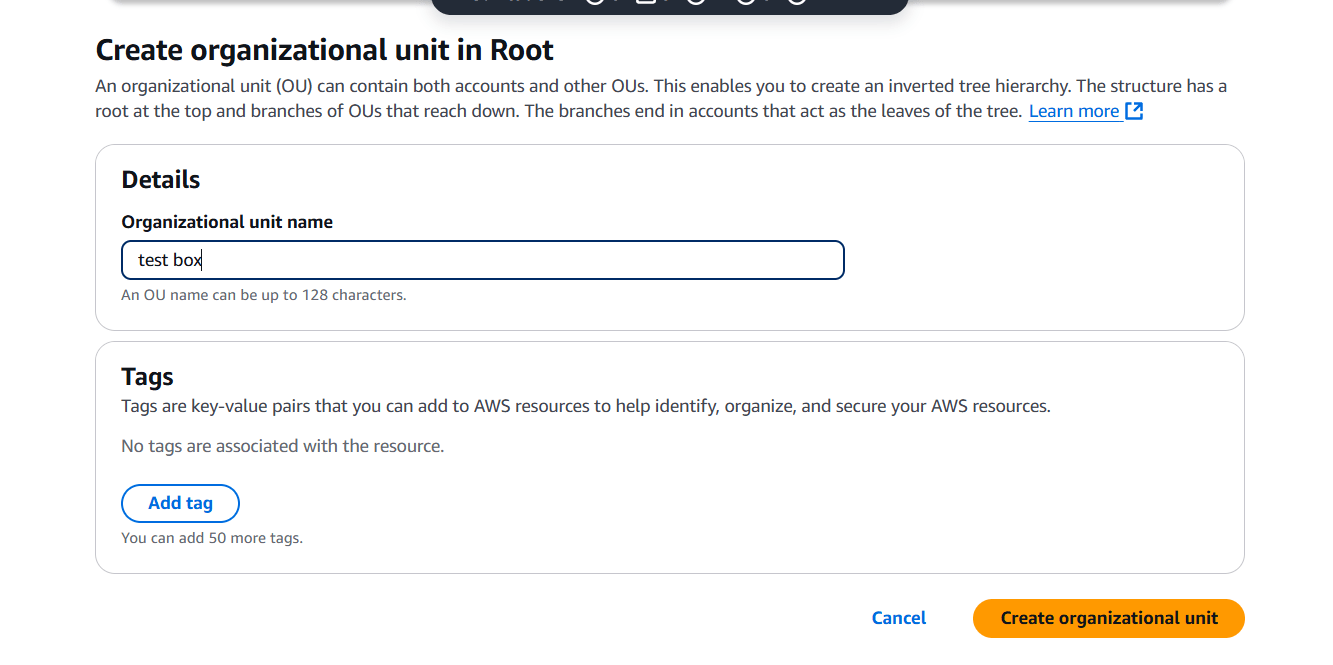
STEP 2: Enter the name and click on create.
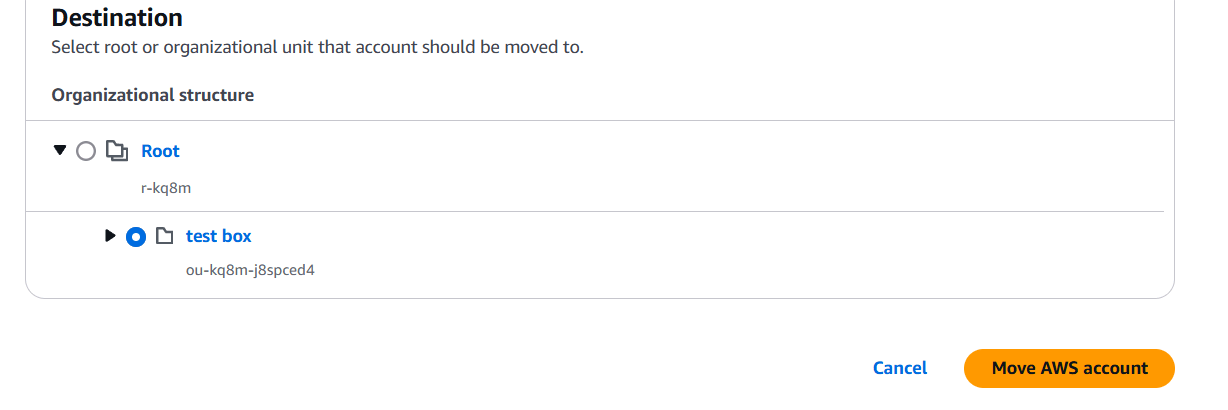
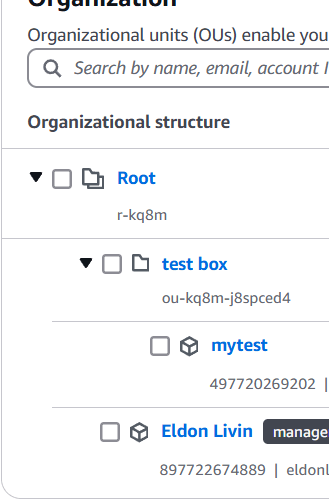
Moving AWS Account to OU.
STEP 1: Select your account and click on move button.
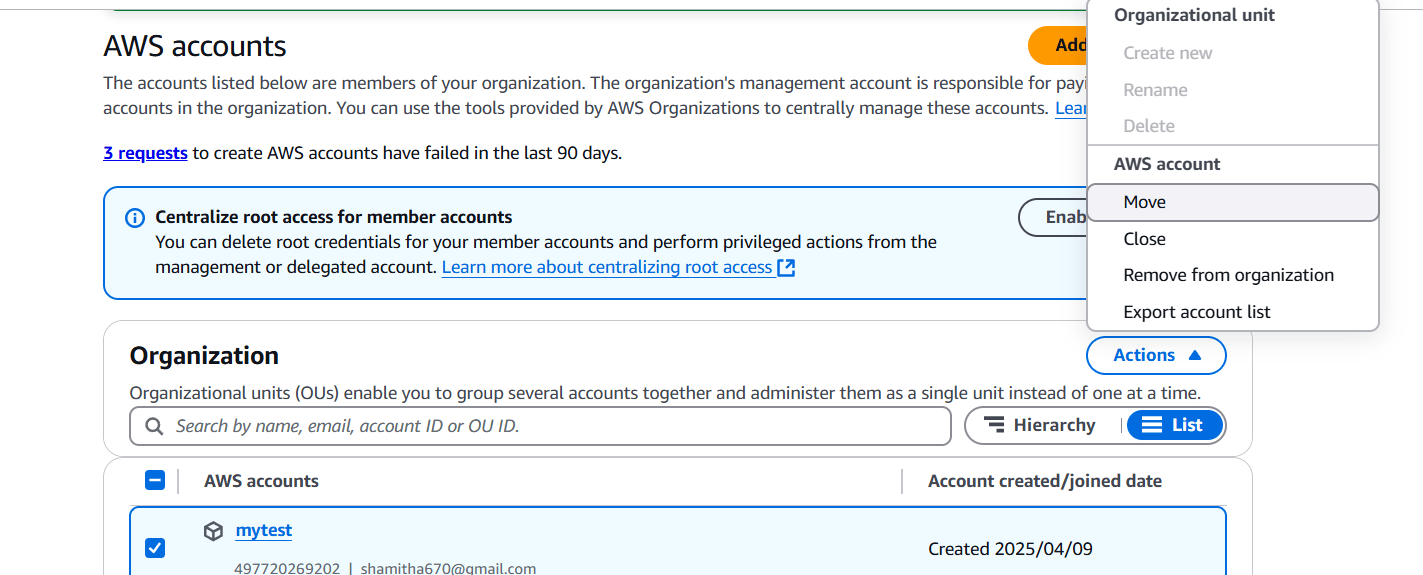
STEP 2: Select the test box and click on move button.

Conclusion.
In conclusion, AWS Organizations offers a comprehensive solution for businesses looking to streamline the management of multiple AWS accounts. From its hierarchical account structure to centralized billing and advanced security controls, AWS Organizations empowers organizations to scale efficiently while maintaining robust governance and compliance. By leveraging organizational units, Service Control Policies, and identity management features, companies can create a more secure, cost-effective, and organized cloud environment.
Whether you’re managing a small team or overseeing a large enterprise with complex cloud needs, AWS Organizations is a critical tool for simplifying and optimizing your cloud infrastructure. It enables better collaboration, reduces operational overhead, and ensures that your AWS environment adheres to the highest standards of security and compliance.
As cloud environments continue to grow and evolve, mastering AWS Organizations is essential for staying ahead in the cloud game. By adopting best practices and leveraging the powerful features AWS Organizations offers, organizations can unlock new levels of efficiency and effectiveness in their cloud management strategy.




