

In today’s digital world, websites are constant targets for cyberattacks. Whether you run a personal blog, an eCommerce store, or a SaaS platform, understanding common vulnerabilities is essential to protect your data and users.
One of the most trusted resources in cybersecurity is the OWASP Top 10 a regularly updated list of the most critical web application security risks.
This guide simplifies those risks so you can understand them even if you’re not a security expert.
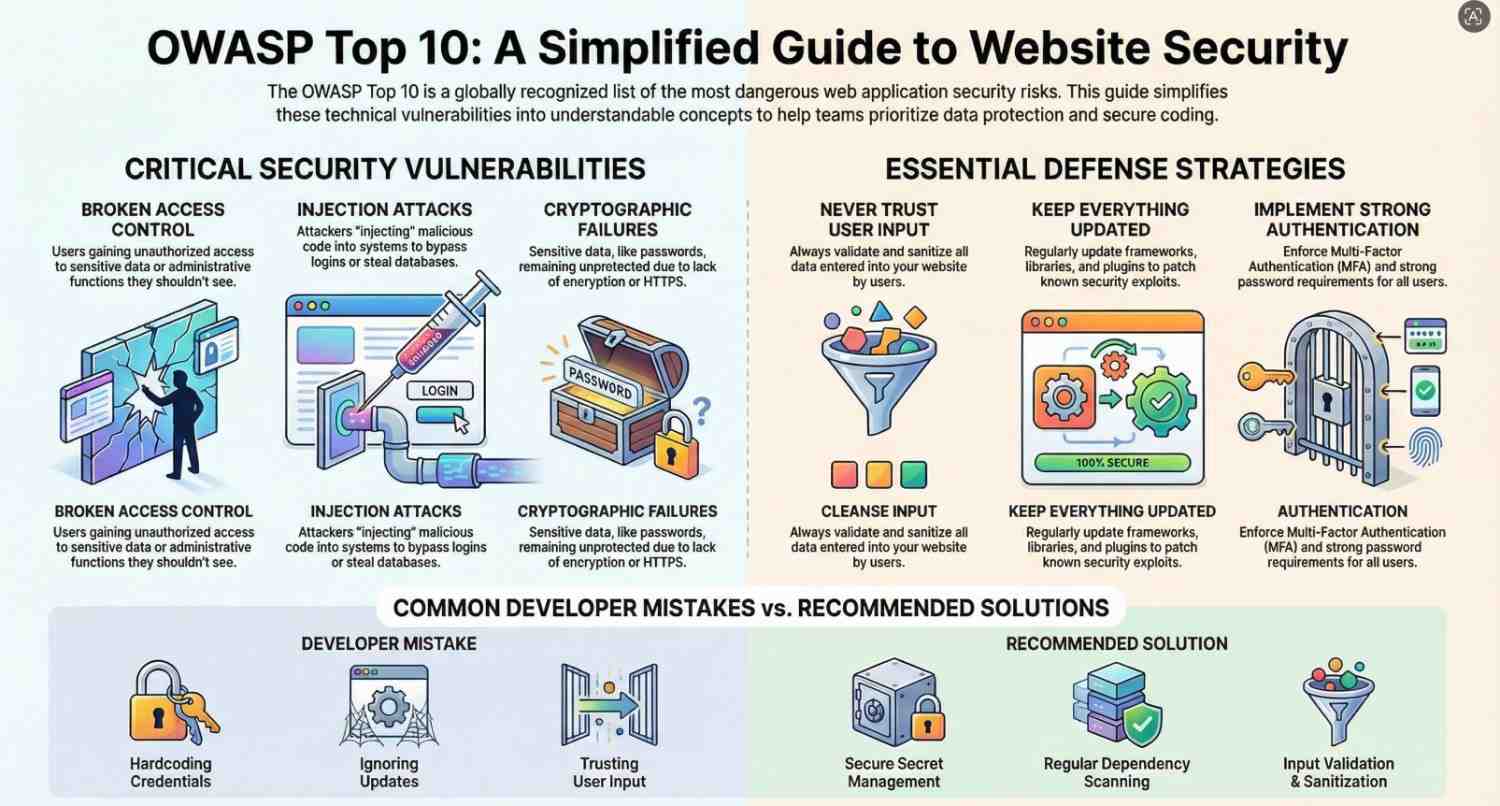
What is OWASP Top 10?
The OWASP Top 10 is a list of the most dangerous web vulnerabilities based on real-world data.
It helps:
- Developers write secure code
- Businesses protect user data
- Security professionals prioritize risks
The OWASP Top 10 (Simplified)
Let’s break down each vulnerability in plain English, with examples and prevention tips.
1. Broken Access Control
What it means:
Users can access data or actions they shouldn’t.
Example:
A normal user can view another user’s account by changing a URL like:
/user?id=123 → /user?id=124
How to prevent:
- Enforce proper authentication checks
- Use role-based access control (RBAC)
- Validate permissions on the server side
2. Cryptographic Failures
What it means:
Sensitive data isn’t properly protected.
Example:
Passwords stored in plain text instead of encrypted format.
How to prevent:
- Use HTTPS everywhere
- Encrypt sensitive data
- Use strong hashing algorithms like bcrypt
3. Injection (SQL, Command, etc.)
What it means:
Attackers inject malicious code into your system.
Example:
SQL Injection:
SELECT * FROM users WHERE username = 'admin' OR '1'='1';
This can bypass login systems.
How to prevent:
- Use prepared statements
- Validate and sanitize inputs
- Avoid dynamic queries
4. Insecure Design
What it means:
Security wasn’t considered during design.
Example:
No rate limiting → attackers can brute-force passwords.
How to prevent:
- Apply secure design principles
- Use threat modeling
- Plan security from the start
5. Security Misconfiguration
What it means:
Improper settings expose your system.
Example:
- Default passwords
- Open admin panels
- Debug mode enabled in production
How to prevent:
- Disable unused features
- Keep systems updated
- Use secure configurations
6. Vulnerable and Outdated Components
What it means:
Using old libraries with known vulnerabilities.
Example:
Using an outdated plugin with known exploits.
How to prevent:
- Regularly update dependencies
- Use tools to scan vulnerabilities
- Remove unused libraries
7. Identification and Authentication Failures
What it means:
Weak login systems.
Example:
- Weak passwords allowed
- No multi-factor authentication (MFA)
How to prevent:
- Enforce strong passwords
- Implement MFA
- Limit login attempts
8. Software and Data Integrity Failures
What it means:
Untrusted data or updates are executed.
Example:
Downloading and installing software updates without verification.
How to prevent:
- Use trusted sources
- Verify integrity with hashes/signatures
- Secure CI/CD pipelines
9. Security Logging and Monitoring Failures
What it means:
Attacks go unnoticed.
Example:
No logs → you don’t know when a breach happens.
How to prevent:
- Enable logging
- Monitor suspicious activity
- Use alert systems
10. Server-Side Request Forgery (SSRF)
What it means:
Attackers trick your server into making requests.
Example:
Server accesses internal systems or sensitive data.
How to prevent:
- Validate URLs
- Restrict outbound requests
- Use network segmentation
Why These Vulnerabilities Matter
Ignoring these risks can lead to:
- Data breaches
- Financial loss
- Reputation damage
- Legal issues
Even big companies have suffered due to simple vulnerabilities.
Real-World Example
Imagine an eCommerce website:
- No input validation → SQL Injection
- Weak passwords → account takeover
- No HTTPS → stolen user data
A hacker could:
- Steal customer data
- Access admin panel
- Crash the website
Best Practices to Stay Secure
1. Follow Secure Coding Practices
Write code with security in mind from the beginning.
2. Keep Everything Updated
Always update:
- Frameworks
- Libraries
- Plugins
3. Use HTTPS
Encrypt communication between users and servers.
4. Implement Authentication Properly
- Use MFA
- Secure password storage
- Session management
5. Validate All Inputs
Never trust user input.
6. Perform Regular Security Testing
- Penetration testing
- Vulnerability scanning
7. Backup Data Regularly
Prepare for worst-case scenarios.
8. Use Security Tools
Examples:
- Firewalls
- Intrusion detection systems
- Security scanners
Common Developer Mistakes
Avoid these:
- Trusting user input
- Ignoring updates
- Hardcoding credentials
- Poor error handling
- Exposing sensitive APIs
Future of Web Security
Cybersecurity is evolving fast.
Key trends:
- AI-powered attacks
- Zero Trust security models
- Automation in security testing
Developers must stay updated and proactive.
Final Thoughts
The OWASP Top 10 is not just a list it’s a foundation for building secure applications.
You don’t need to be a security expert to start improving your website’s safety. Even small steps like:
- Validating inputs
- Using HTTPS
- Updating software
can make a huge difference.
Remember:
Security is not a one-time task it’s an ongoing process.




