Table of Contents
Toggle1–10: CI/CD Tools (Continuous Integration & Deployment)
- What is CI/CD in DevOps?
Continuous Integration (CI) automatically tests and merges code, while Continuous Deployment (CD) automates delivery to production. - What are popular CI/CD tools?
Jenkins, GitLab CI, CircleCI, Travis CI, Bamboo, GitHub Actions. - Is Jenkins still widely used?
Yes, Jenkins is mature, extensible, and widely adopted despite newer alternatives. - What is GitHub Actions used for?
Automating workflows like CI/CD directly within GitHub repositories. - Can CI/CD pipelines deploy to multiple environments?
Yes, pipelines can deploy to dev, staging, and production environments. - What is a pipeline in DevOps tools?
A defined series of steps for building, testing, and deploying code automatically. - Do CI/CD tools replace manual testing?
They automate repetitive tests but don’t replace exploratory testing. - What is the difference between CI and CD?
CI focuses on code integration; CD focuses on delivery and deployment automation. - Which CI/CD tool is easiest for beginners?
GitHub Actions or GitLab CI, due to simple YAML-based configuration. - Can CI/CD tools handle rollback?
Yes, most tools support automated rollback if deployments fail.
11–20: Configuration Management Tools
- What are configuration management tools?
Tools that automate setup and management of servers and infrastructure (e.g., Ansible, Chef, Puppet). - What is Ansible used for?
Automating IT tasks like app deployment, server configuration, and orchestration. - What is Puppet?
A configuration management tool for automating infrastructure setup and management. - How does Chef differ from Puppet?
Chef uses Ruby-based scripts, Puppet uses declarative manifests. - Are configuration management tools still relevant with cloud IaC?
Yes, they complement IaC for complex environments. - What is idempotency in configuration management?
Ensuring repeated execution results in the same system state. - Can these tools manage both Linux and Windows servers?
Yes, most modern tools support multiple OS platforms. - Is Ansible agentless?
Yes, it uses SSH/WinRM and does not require an agent installed on servers. - What is the main benefit of configuration management tools?
Consistency, repeatability, and reduced human errors in infrastructure setup. - Do these tools replace DevOps engineers?
No, they automate tasks but require human oversight for strategy and troubleshooting.
21–30: Containerization & Orchestration Tools
- What is Docker used for?
Containerizing applications to run consistently across environments. - What is Kubernetes?
A container orchestration platform that manages deployment, scaling, and operations. - Do I need both Docker and Kubernetes?
Often yes—Docker builds containers, Kubernetes orchestrates them at scale. - What is a container image?
A lightweight, standalone package that includes application code and dependencies. - What is a pod in Kubernetes?
The smallest deployable unit in Kubernetes, which can contain one or more containers. - Can Kubernetes auto-scale applications?
Yes, using Horizontal Pod Autoscaler (HPA). - What is Helm?
A package manager for Kubernetes, simplifying deployment with charts. - What is the difference between Docker Swarm and Kubernetes?
Swarm is simpler, built into Docker; Kubernetes is more complex but scalable. - Are containers faster than virtual machines?
Yes, they are more lightweight and start faster. - Can containers improve CI/CD pipelines?
Yes, they ensure consistent environments across development, testing, and production.
31–40: Monitoring & Logging Tools
- What is Prometheus used for?
Monitoring systems and collecting metrics in real-time. - What is Grafana?
Visualizing metrics collected from Prometheus and other sources. - What is ELK Stack?
Elasticsearch, Logstash, Kibana – for centralized logging and analytics. - What is Splunk used for?
Log management, monitoring, and security analytics. - Can monitoring tools alert automatically?
Yes, most tools send notifications on threshold breaches. - What is the difference between monitoring and observability?
Monitoring tracks predefined metrics; observability provides insight into unknown issues. - Do DevOps engineers need coding knowledge for monitoring tools?
Basic scripting helps but not always mandatory. - Is Nagios still used?
Yes, particularly in legacy environments. - Can these tools monitor cloud resources?
Yes, tools like Prometheus, Datadog, and CloudWatch can monitor cloud environments. - What is APM (Application Performance Monitoring)?
Tools like New Relic and Dynatrace that monitor application performance and user experience.
41–50: Collaboration & Cloud Tools
- Which tools are used for DevOps collaboration?
Jira, Confluence, Slack, Trello, Microsoft Teams. - What is Terraform?
An Infrastructure as Code (IaC) tool for provisioning cloud resources. - How does Terraform differ from CloudFormation?
Terraform is cloud-agnostic; CloudFormation is AWS-specific. - What is GitOps?
Using Git repositories as the source of truth for infrastructure and deployment. - Do cloud providers have native DevOps tools?
Yes, AWS CodePipeline, Azure DevOps, and Google Cloud Build. - Can I integrate CI/CD with cloud services?
Yes, all major CI/CD tools support cloud deployments. - Are cloud DevOps tools better than on-premise tools?
They are often easier to scale but depend on cloud provider lock-in. - What is the difference between IaC and configuration management?
IaC provisions infrastructure; configuration management configures it. - How do DevOps teams track deployments?
Using tools like Jira, Git logs, or CI/CD dashboards. - Can AI improve DevOps tools?
Yes, AI can optimize monitoring, anomaly detection, and deployment automation.
Conclusion
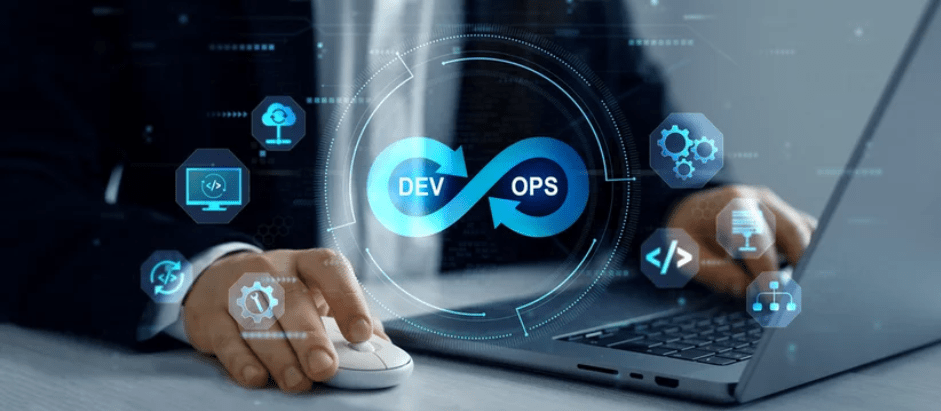
DevOps is not just a methodology it’s a culture supported by a wide range of tools that streamline software development, deployment, and operations. From CI/CD pipelines and configuration management to container orchestration, monitoring, and cloud automation, each tool plays a crucial role in making DevOps efficient, reliable, and scalable.
By understanding the capabilities, differences, and best practices of these tools, teams can reduce errors, accelerate delivery, and ensure consistent performance across environments. Whether you are a beginner exploring DevOps or a seasoned professional refining your workflow, staying updated with these tools is essential to mastering modern software delivery.
Remember: tools alone don’t make DevOps successful combining the right tools with strong collaboration, automation, and continuous learning is what truly drives success.
For more information about DevOps, you can refer to Jeevi’s page.
This tutorial is just the beginning learn DevOps hands-on in our complete course. Upgrade your skills.