

When working with Ansible, one of the first things you’ll encounter is YAML. It’s the language used to define playbooks, inventories, and variables. While YAML is known for being human-readable, small mistakes in formatting can lead to frustrating errors.
Understanding YAML deeply isn’t optional it’s essential if you want to write clean, reliable, and maintainable automation.
This guide walks you through YAML fundamentals specifically tailored for Ansible users, with practical examples and best practices you can apply immediately.
What is YAML?
YAML (YAML Ain’t Markup Language) is a data serialization format designed to be easy for humans to read and write.
It’s commonly used in:
- Configuration files
- Infrastructure as Code tools
- CI/CD pipelines
In Ansible, YAML defines:
- Playbooks
- Roles
- Variables
- Inventory (optional)
Why YAML Matters in Ansible
Ansible is agentless and relies entirely on playbooks written in YAML to describe automation tasks.
A simple formatting issue like incorrect indentation can break your entire playbook. That’s why mastering YAML is critical for:
- Avoiding syntax errors
- Improving readability
- Writing reusable automation
- Collaborating with teams
YAML Core Concepts
Let’s break down the building blocks of YAML.
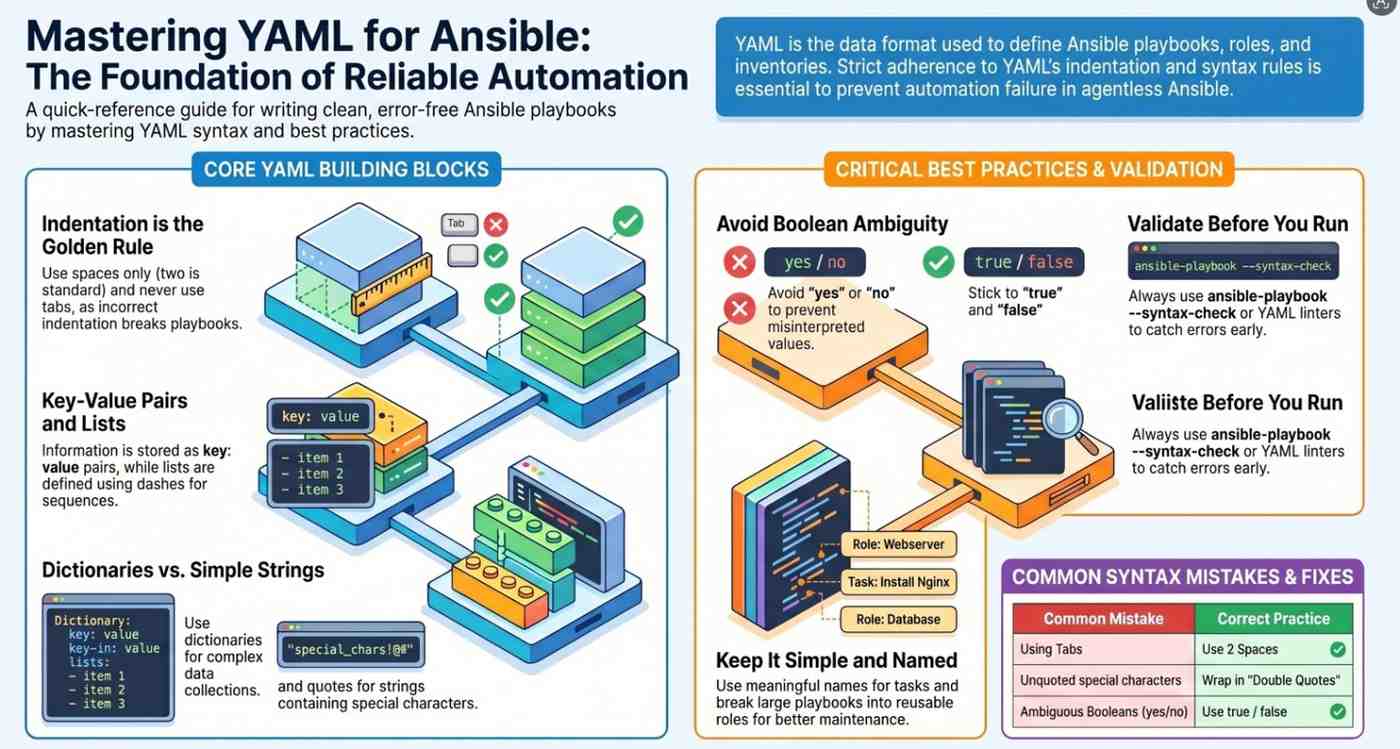
1. Indentation (The Most Important Rule)
YAML uses spaces, not tabs.
– name: Install nginx hosts: web tasks: – name: Install package apt: name: nginx state: presentKey rules:
- Always use spaces (2 spaces is standard)
- Never mix tabs and spaces
- Incorrect indentation = broken playbook
2 . Key-Value Pairs
YAML is based on key: value structure.
In Ansible, almost everything is defined this way.
3. Lists (Arrays)
Lists are defined using -
In Ansible:
tasks:
  - name: Install nginx
    apt:
      name: nginx
Each task is a list item.
4. Dictionaries (Maps)
Dictionaries are collections of key-value pairs.
user: name: admin shell: /bin/bashIn Ansible modules:
apt: name: nginx state: present5. Strings
YAML supports multiple string formats.
simple: hello quoted: “hello world” single_quoted: ‘hello world’Use quotes when:
- There are special characters
- Values could be misinterpreted (e.g.,
yes,no,on,off)
6. Booleans
enabled: true
debug: false
Avoid ambiguous values like:
yes / no / on / off
Stick to true and false.
7. Comments
Comments start with #
Use comments to improve readability.
Writing Your First Ansible Playbook (YAML in Action)
Here’s a simple example using Ansible:
– name: Setup web server hosts: web become: true vars: package_name: nginx tasks: – name: Install nginx apt: name: “{{ package_name }}” state: present – name: Start nginx service: name: nginx state: startedWhat’s happening here?
- The playbook is a list
- Each play contains:
hostsvarstasks
- Variables are referenced using
{{ }}
YAML Advanced Features for Ansible
1. Multi-Line Strings
message: | This is a multi-line string in YAML.OR folded:
message: > This will be converted into a single line.2. Anchors and Aliases (Reuse Code)
default: &default_settings retries: 3 delay: 5task1: <<: *default_settingsUseful for reducing repetition.
3. Variables and Interpolation
vars: app_name: myapptasks: – name: Print app name debug: msg: “{{ app_name }}”4. Conditionals
– name: Install nginx on Ubuntu apt: name: nginx when: ansible_os_family == “Debian”5. Loops
– name: Install packages apt: name: “{{ item }}” state: present loop: – nginx – git – curlCommon YAML Mistakes in Ansible
1. Using Tabs Instead of Spaces
This is the #1 issue.
2. Incorrect Indentation
tasks: – name: Wrong indentation apt: name: nginxFix:
tasks: – name: Correct indentation3. Missing Quotes
password: pa:ssFix:
password: “pa:ss”4. Boolean Confusion
enabled: yes # riskyUse:
enabled: true5. Mixing Data Types
port: “80” # stringBetter:
port: 80Best Practices for Writing Better Ansible YAML
1. Keep It Simple
Avoid overly complex nesting.
2. Use Meaningful Names
- name: Install web server
Not:
- name: Task 1
3. Organize with Roles
Break large playbooks into reusable components.
4. Validate YAML Before Running
Use tools like:
ansible-playbook --syntax-check- YAML linters
5. Maintain Consistent Formatting
- Use 2 spaces
- Align keys properly
- Follow naming conventions
6. Use Comments Wisely
Explain why, not just what.
Real-World Example: LAMP Stack Setup
– name: Install LAMP stack hosts: web become: true vars: packages: – apache2 – mysql-server – php tasks: – name: Install packages apt: name: “{{ item }}” state: present loop: “{{ packages }}” – name: Start Apache service: name: apache2 state: startedThis demonstrates:
- Lists
- Variables
- Loops
- Clean YAML structure
YAML vs JSON (Why YAML Wins in Ansible)
While JSON is also supported, YAML is preferred because:
- More readable
- Less verbose
- Easier to write
Example:
JSON:
{"name": "Install nginx", "hosts": "web"}YAML:
name: Install nginx
hosts: web
Final Thoughts
Mastering YAML is the foundation for becoming proficient with Ansible. While it may seem simple at first glance, YAML’s strict formatting rules mean even small mistakes can cause issues.
The key takeaways:
- Indentation is everything
- Use structured, readable formats
- Avoid ambiguity in data types
- Follow consistent patterns
As your automation grows, clean YAML becomes the difference between manageable infrastructure and chaos.
- Curious about Ansible? Begin here.




