Artificial Intelligence is no longer limited to large tech companies with expensive cloud infrastructure. Today, developers can run powerful AI applications directly on their laptops using open-source models, local inference tools, and containerized environments.
But AI development environments are often messy.
Different Python versions, CUDA dependencies, GPU drivers, model libraries, and system packages can quickly turn setup into a nightmare. One broken dependency can ruin your entire workflow.
That’s why developers increasingly rely on Docker for local AI development.
Docker helps developers package AI applications into isolated, portable, reproducible environments that work consistently across machines.
Whether you are experimenting with Large Language Models (LLMs), building AI APIs, training lightweight models, or testing vector databases, Docker can dramatically simplify the process.
In this guide, we’ll explore how developers use Docker for local AI development, why it matters, and the best practices for building reliable AI environments.
Table of Contents
ToggleWhy Docker Matters in AI Development
AI projects are dependency-heavy.
A typical AI stack may include:
- Python
- PyTorch or TensorFlow
- CUDA drivers
- Vector databases
- API frameworks
- GPU acceleration libraries
- Tokenizers
- Model runtimes
Installing all of this directly on your machine often leads to:
- Version conflicts
- Broken environments
- “Works on my machine” problems
- Difficult onboarding for teams
Docker solves these problems through containerization.
Instead of configuring everything manually, developers define the environment once in a Dockerfile and run it anywhere consistently.
The Core Benefits of Docker for AI Projects
1. Reproducible Environments
One of Docker’s biggest strengths is reproducibility.
If an AI application works inside a container, it should behave the same on:
- Your laptop
- A teammate’s computer
- A cloud VM
- A production server
This is extremely valuable in AI workflows where package versions matter.
For example:
- PyTorch version mismatches
- CUDA incompatibility
- Transformers library updates
can easily break applications.
Docker locks the environment into a predictable state.
2. Easy Dependency Management
AI frameworks often require conflicting dependencies.
You may want:
- Python 3.10 for one project
- Python 3.12 for another
- Different Torch versions
- Separate CUDA toolkits
Without Docker, environments become difficult to manage.
With Docker, each project gets its own isolated environment.
Example:
FROM python:3.11-slim WORKDIR /app COPY requirements.txt . RUN pip install -r requirements.txt COPY . . CMD [“python”, “app.py”]This keeps dependencies isolated from the host machine.
3. Simplified Team Collaboration
AI teams often struggle with setup consistency.
One developer may spend hours configuring:
- CUDA
- Python
- GPU libraries
- Inference runtimes
while another encounters completely different issues.
Docker eliminates most onboarding pain.
A new developer can simply run:
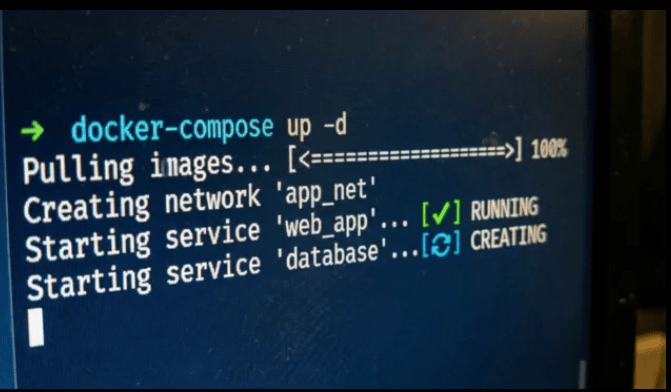
docker compose upand start working immediately.
This dramatically improves productivity.
Common AI Workflows Using Docker
Developers use Docker in several major AI workflows.
1. Running Local LLMs
One of Docker’s most popular AI use cases is running Large Language Models locally.
Developers commonly run:
- Llama models
- Mistral
- Gemma
- DeepSeek
- Qwen
inside containers.
Popular local AI runtimes include:
- Ollama
- vLLM
- Text Generation WebUI
- LM Studio backends
- Open WebUI
Docker simplifies deployment by packaging:
- Model runtimes
- APIs
- Dependencies
- GPU access
into reproducible containers.
Example:
docker run -d -p 11434:11434 ollama/ollamaThis launches a local LLM runtime in seconds.
Developers can then pull models and test AI apps locally without cloud APIs.
2. Building AI APIs
Many developers build AI-powered APIs locally before deployment.
Typical stack:
- FastAPI
- Flask
- LangChain
- Transformers
- Vector database
Docker helps package the entire AI service.
Example architecture:
- API container
- Database container
- Vector store container
- Redis cache container
All orchestrated using Docker Compose.
Example:
version: ‘3’ services: api: build: . ports: – “8000:8000” redis: image: redis vector-db: image: chromadb/chromaThis creates a fully isolated local AI environment.
3. GPU-Accelerated Development
AI developers often use GPUs for:
- Model inference
- Fine-tuning
- Training
- Embedding generation
Docker supports GPU acceleration using NVIDIA Container Toolkit.
Example:
docker run –gpus all pytorch/pytorchThis gives containers direct GPU access.
Benefits:
- Cleaner CUDA management
- Easier experimentation
- Consistent GPU environments
Without Docker, CUDA setup can become extremely painful.
4. Experimenting with Multiple AI Stacks
AI moves incredibly fast.
Developers constantly test:
- New frameworks
- Experimental runtimes
- Alternative embeddings
- Different inference engines
Docker makes experimentation safer.
Instead of polluting your host system:
- create a container
- test the tool
- remove the container
No permanent system damage.
This flexibility is one reason Docker became essential for AI experimentation.
Docker Compose in AI Projects
As AI systems grow, multiple services become necessary.
A modern local AI stack may include:
- LLM runtime
- API server
- PostgreSQL
- Redis
- Vector database
- Frontend UI
Managing all manually becomes difficult.
Docker Compose solves this problem.
Example:
version: ‘3’ services: app: build: . ports: – “3000:3000” postgres: image: postgres redis: image: redis qdrant: image: qdrant/qdrantOne command launches the entire environment.
docker compose upThis dramatically improves local development speed.
Popular AI Tools Developers Run with Docker
Many AI tools officially support Docker.
Some widely used examples include:
| Tool | Purpose |
|---|---|
| Ollama | Local LLM runtime |
| Open WebUI | ChatGPT-like local interface |
| Qdrant | Vector database |
| ChromaDB | Embedding storage |
| Redis | Caching |
| PostgreSQL | Structured storage |
| Jupyter | AI notebooks |
| vLLM | High-performance inference |
| Hugging Face TGI | Text generation inference |
Docker simplifies installation for all of them.
Why Docker Is Perfect for RAG Applications
Retrieval-Augmented Generation (RAG) systems often involve multiple components:
- Embedding models
- Vector databases
- APIs
- Frontend interfaces
- Document pipelines
Docker allows developers to package all services into a single reproducible stack.
Example architecture:
- FastAPI backend
- Qdrant vector DB
- Ollama inference
- Redis cache
- React frontend
Without containers, configuring this locally becomes frustrating.
With Docker Compose, it becomes manageable.
Common Docker Mistakes in AI Development
While Docker helps significantly, beginners still make common mistakes.
1. Using Massive Images
AI images can become huge.
A careless Dockerfile may produce:
- 10GB images
- Slow builds
- Storage problems
Use slim images whenever possible.
Example:
FROM python:3.11-sliminstead of full Ubuntu-based images.
2. Ignoring GPU Compatibility
GPU containers require:
- Matching drivers
- CUDA compatibility
- NVIDIA toolkit setup
Many beginners forget host driver compatibility.
Always verify:
- NVIDIA driver version
- CUDA support
- Docker GPU runtime
before troubleshooting AI frameworks.
3. Baking Models Into Images
Some developers include model weights directly inside Docker images.
This creates enormous images.
Instead:
- mount models as volumes
- download models at runtime
- cache externally
Better approach:
docker run -v ./models:/models my-ai-appThis keeps images lightweight.
4. Forgetting Persistent Storage
AI apps often generate:
- embeddings
- vector indexes
- model caches
- databases
Without volumes, all data disappears when containers stop.
Use persistent volumes for:
- vector DBs
- databases
- model storage
5. Running Everything in One Container
Beginners often create giant containers containing:
- backend
- database
- frontend
- vector DB
This becomes difficult to maintain.
Use separate containers for each service.
This improves:
- scalability
- debugging
- deployment flexibility
Local AI Development vs Cloud AI Development
Docker supports both local and cloud workflows.
Local AI Development Benefits
- Lower cost
- Faster iteration
- Better privacy
- Offline capability
- Easier experimentation
Cloud AI Development Benefits
- Larger GPUs
- Massive scalability
- Shared infrastructure
- Easier production deployment
Most developers use local Docker environments for:
- prototyping
- testing
- debugging
Then deploy production workloads to the cloud.
Best Practices for Docker in AI Development
Keep Images Small
Use:
- slim images
- multi-stage builds
- minimal dependencies
Use Volumes for Models
Never repeatedly download models unnecessarily.
Persist them using Docker volumes.
Separate Services
Use:
- API containers
- database containers
- inference containers
instead of monolithic setups.
Use Docker Compose
Compose simplifies:
- orchestration
- networking
- environment management
especially for RAG applications.
Monitor Resource Usage
AI containers consume significant:
- RAM
- GPU memory
- storage
Regularly monitor:
- container sizes
- memory usage
- GPU allocation
The Future of Docker in AI
AI tooling is evolving rapidly, but Docker remains central to developer workflows.
As local AI becomes more popular, developers increasingly need:
- reproducible environments
- isolated experimentation
- portable AI stacks
- GPU-compatible tooling
Docker provides all of these.
Modern AI development increasingly resembles cloud-native engineering:
- microservices
- APIs
- containerized inference
- scalable orchestration
Even developers building simple local AI apps benefit from containerization.
Final Thoughts
Docker has become one of the most important tools in modern AI development.
It solves many painful problems:
- dependency conflicts
- inconsistent environments
- onboarding complexity
- deployment portability
Whether you’re:
- experimenting with local LLMs
- building RAG systems
- developing AI APIs
- testing inference engines
- creating AI microservices
Docker dramatically simplifies the process.
The combination of:
- Docker
- local AI runtimes
- open-source models
- GPU acceleration
has made AI development more accessible than ever before.
Instead of spending hours fixing environment issues, developers can focus on what actually matters:
building AI applications.
As AI tooling continues evolving, Docker will likely remain a foundational part of the local development experience for years to come.