
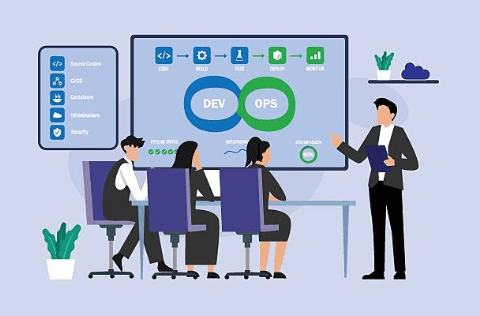
Modern software development demands speed, reliability, and collaboration. Teams no longer release software every few months they deploy updates daily or even multiple times a day. Achieving this level of efficiency requires a combination of effective version control and automated delivery processes. This is where Git and CI/CD (Continuous Integration and Continuous Deployment/Delivery) work together to transform software development.
Git helps developers manage source code, collaborate with team members, and maintain a complete history of changes. CI/CD pipelines automate building, testing, and deploying applications whenever changes are pushed to a repository. Together, they reduce manual work, minimize bugs, and enable rapid software delivery.
In this blog, you’ll learn how Git integrates with CI/CD pipelines, why it’s important, how the workflow operates, best practices, common challenges, and popular tools used in modern DevOps.
Table of Contents
ToggleWhat is Git?
Git is a distributed version control system designed to track changes in source code. It enables multiple developers to work on the same project simultaneously without overwriting each other’s work.
Git offers features such as:
- Version history
- Branching and merging
- Collaboration
- Rollback to previous versions
- Conflict resolution
Every change made to the codebase is stored as a commit, allowing teams to understand who changed what and why.
Key Git Concepts
Repository
A repository (repo) stores your project’s files along with its entire history.
Commit
A commit is a snapshot of your code at a particular point in time.
Branch
Branches allow developers to work on new features or bug fixes independently without affecting the main codebase.
Merge
After development is complete, branches are merged into the main branch.
Pull Request (PR)
A pull request enables team members to review code before merging it into the primary branch.
What is CI/CD?
CI/CD stands for:
- Continuous Integration (CI)
- Continuous Delivery (CD)
- Continuous Deployment (CD)
Although often used together, each serves a different purpose.
Continuous Integration
Continuous Integration is the practice of automatically building and testing code whenever developers push changes to Git.
Benefits include:
- Early bug detection
- Automated testing
- Reduced integration problems
- Better collaboration
Continuous Delivery
Continuous Delivery ensures that validated code is always ready for deployment. Human approval is usually required before releasing to production.
Continuous Deployment
Continuous Deployment goes one step further by automatically deploying every successful build directly into production without manual intervention.
Why Integrate Git with CI/CD?
Git acts as the trigger point for automation.
Every action performed in Git can initiate a CI/CD pipeline.
Examples include:
- Pushing code
- Creating a pull request
- Merging branches
- Creating tags
- Publishing releases
Instead of manually building and testing software, Git events automatically launch the pipeline.
The result is:
- Faster releases
- Higher code quality
- Fewer deployment failures
- Increased developer productivity
Typical Git and CI/CD Workflow
A typical workflow follows these steps.
Step 1: Developer Creates a Feature Branch
main | feature/loginDevelopers avoid working directly on the main branch.
Step 2: Write Code
The developer writes code locally.
Example:
git add .git commit -m “Added login validation”Step 3: Push to Remote Repository
git push origin feature/loginThe push event triggers the CI pipeline.
Step 4: CI Pipeline Starts
The CI server performs several automated tasks:
- Downloads source code
- Installs dependencies
- Compiles code
- Executes unit tests
- Performs static code analysis
- Generates reports
If any stage fails, the pipeline stops.
Step 5: Pull Request
Once testing succeeds, a Pull Request is created.
Team members review:
- Code quality
- Architecture
- Naming conventions
- Security
- Performance
Step 6: Merge into Main Branch
After approval:
feature/login | V mainThe merge automatically triggers another pipeline.
Step 7: Deployment
Depending on configuration:
- Deploy to Development
- Deploy to Testing
- Deploy to Staging
- Deploy to Production
Git Events that Trigger CI/CD Pipelines
Most CI/CD systems monitor Git repositories for specific events.
Common triggers include:
Push Event
Pipeline starts after every push.
Example:
git push origin mainPull Request
Runs validation before code review.
Merge
Deploys validated code.
Tag Creation
Example:
v2.0.0Tags are commonly used for production releases.
Scheduled Runs
Pipelines can also execute daily or weekly regardless of code changes.
Popular CI/CD Platforms
Several tools integrate seamlessly with Git.
GitHub Actions
GitHub Actions provides native CI/CD capabilities within GitHub repositories.
Features:
- Workflow automation
- Matrix builds
- Secrets management
- Marketplace integrations
Example workflow:
name: Build on: push jobs: build: runs-on: ubuntu-latest steps: – uses: actions/checkout@v4 – name: Install run: npm install – name: Test run: npm testGitLab CI/CD
GitLab offers built-in DevOps capabilities.
Advantages:
- Single platform
- Auto DevOps
- Integrated security scanning
- Kubernetes support
Jenkins
Jenkins is one of the oldest CI/CD servers.
Advantages:
- Highly customizable
- Thousands of plugins
- Supports nearly every programming language
Azure DevOps
Popular among Microsoft technology stacks.
Supports:
- Git repositories
- Boards
- Pipelines
- Artifacts
- Test Plans
CircleCI
Cloud-based CI/CD platform known for fast builds.
Features:
- Docker support
- Parallel execution
- Easy Git integration
Branching Strategies for CI/CD
A proper Git workflow improves pipeline stability.
Git Flow
Branches include:
- Main
- Develop
- Feature
- Release
- Hotfix
Ideal for large enterprise projects.
GitHub Flow
Simple workflow.
Main | Feature | Pull Request | MergeSuitable for continuous deployment.
Trunk-Based Development
Developers commit frequently to the main branch.
Benefits:
- Small changes
- Fast deployments
- Easier conflict resolution
Best Practices for Git and CI/CD Integration
Commit Frequently
Small commits simplify debugging.
Instead of:
Added complete applicationPrefer:
Added login APIFixed password validationWrite Meaningful Commit Messages
Good example:
Fix authentication timeout issuePoor example:
Updated filesKeep Pipelines Fast
Developers dislike waiting.
Optimize by:
- Parallel testing
- Dependency caching
- Incremental builds
Protect Main Branch
Require:
- Pull Requests
- Code Reviews
- Passing Tests
before merging.
Automate Testing
Include:
- Unit tests
- Integration tests
- API tests
- UI tests
Scan for Security Issues
Automate:
- Dependency scanning
- Secret detection
- Static security analysis
Use Environment Variables
Avoid hardcoding:
Database passwords API keys Access tokensUse secure secrets management instead.
Example Pipeline Stages
A complete pipeline may contain:
Git Push | V Checkout Code | Install Dependencies | Build Application | Run Unit Tests | Run Integration Tests | Security Scan | Package Build | Deploy to Staging | Manual Approval | Deploy to ProductionEvery stage improves software quality.
Benefits of Git-Based CI/CD
Faster Development
Automation eliminates repetitive manual tasks.
Improved Collaboration
Developers work independently using branches.
Early Error Detection
Problems are discovered immediately after code is pushed.
Better Software Quality
Automated testing catches bugs before deployment.
Reliable Deployments
Every deployment follows the same standardized process.
Faster Recovery
Git allows quick rollback if issues occur.
Common Challenges
Despite its advantages, teams may encounter several challenges.
Merge Conflicts
When multiple developers modify the same file, Git cannot automatically merge changes.
Solution:
- Pull frequently
- Keep branches short-lived
Long Pipeline Times
Slow builds reduce productivity.
Solution:
- Cache dependencies
- Parallelize jobs
- Optimize tests
Flaky Tests
Tests that pass and fail unpredictably reduce confidence.
Solution:
- Stabilize test environments
- Remove dependencies on timing or external systems
Secret Management
Sensitive information should never be stored in Git.
Use:
- Secret managers
- Environment variables
- Encrypted credentials
Real-World Example
Imagine an e-commerce company introducing a new payment feature.
- A developer creates a feature branch.
- The payment functionality is implemented.
- Changes are committed and pushed to Git.
- The CI pipeline automatically builds the application.
- Unit tests verify the payment logic.
- Integration tests validate communication with payment gateways.
- Security scans identify vulnerabilities.
- A pull request is opened for peer review.
- After approval, the branch is merged into the main branch.
- The CD pipeline deploys the update to a staging environment.
- After successful validation, the application is released to production.
This automated process significantly reduces the risk of introducing bugs while accelerating the release cycle.
Future Trends
Git-integrated CI/CD pipelines continue to evolve with advancements in automation and cloud technologies.
Emerging trends include:
- AI-assisted code reviews
- Automated pipeline optimization
- Infrastructure as Code (IaC)
- GitOps for Kubernetes deployments
- Policy-as-Code for compliance
- Continuous security testing (DevSecOps)
- Self-healing deployment pipelines
- Progressive delivery techniques such as blue-green and canary deployments
Organizations adopting these practices can achieve faster innovation while maintaining high standards of reliability and security.
Conclusion
Git and CI/CD pipelines form the backbone of modern software delivery. Git provides a reliable way to manage source code and collaborate efficiently, while CI/CD automates building, testing, and deployment processes. Together, they enable teams to release software more frequently, detect issues earlier, and maintain consistent quality across development environments.
By following best practices such as using clear branching strategies, writing meaningful commit messages, protecting the main branch, automating comprehensive tests, and securely managing secrets development teams can maximize the benefits of Git-integrated CI/CD workflows. Whether you’re working on a small application or a large enterprise system, integrating Git with CI/CD is a foundational step toward faster, more reliable, and more scalable software development.
- “If you want to learn DevOps Click here“




