
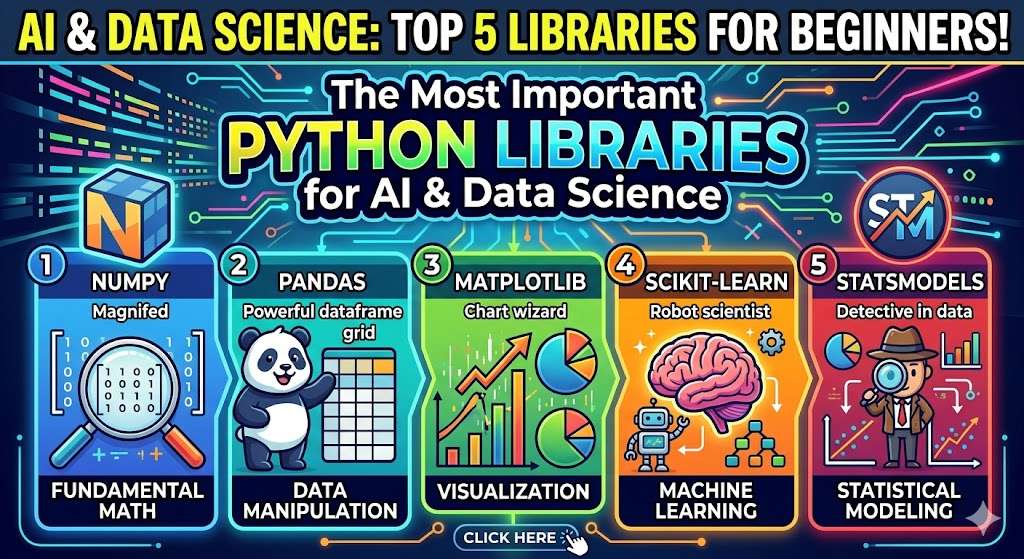
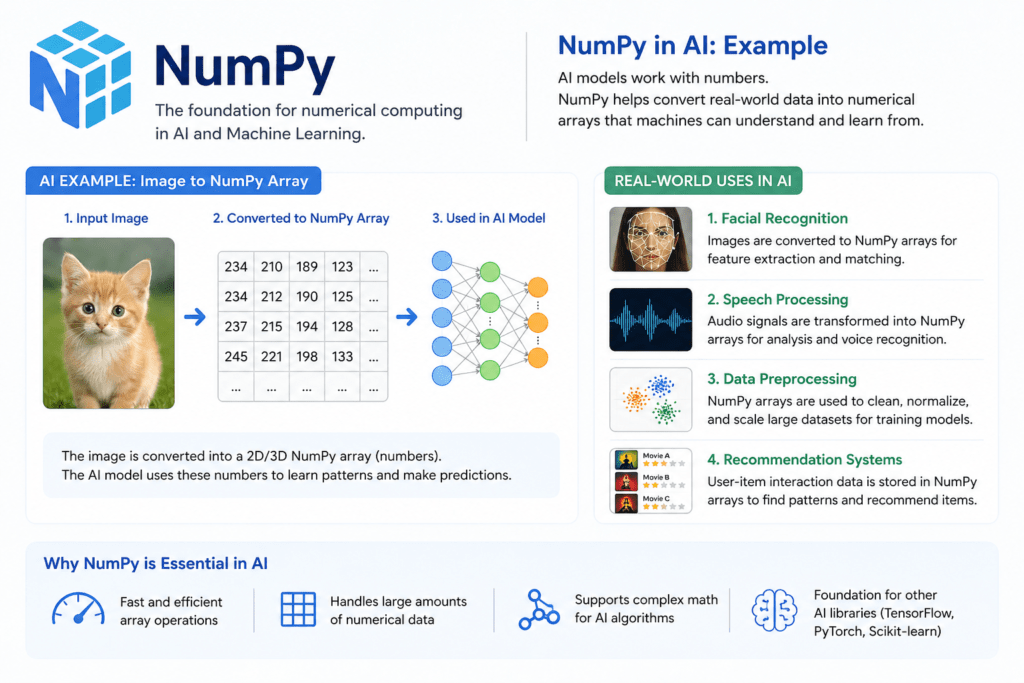
1. NumPy – The Backbone of Numerical Computing
NumPy isn’t just a library—it’s the engine room where all the heavy calculations happen.
Why NumPy Matters
Traditional Python lists are flexible but slow for mathematical operations. NumPy introduces ndarrays (N-dimensional arrays), which are:
- Faster (written in C under the hood)
- Memory efficient
- Designed for vectorized operations (no loops needed)
Key Features
- Multi-dimensional arrays
- Broadcasting (operate on different shapes)
- Linear algebra operations
- Random number generation
Example
import numpy as nparr = np.array([1, 2, 3, 4])
print(arr * 2)
Output: [2 4 6 8]
Real-World Use
- Scientific computing
- Image processing (pixels = arrays)
- Machine learning data preprocessing
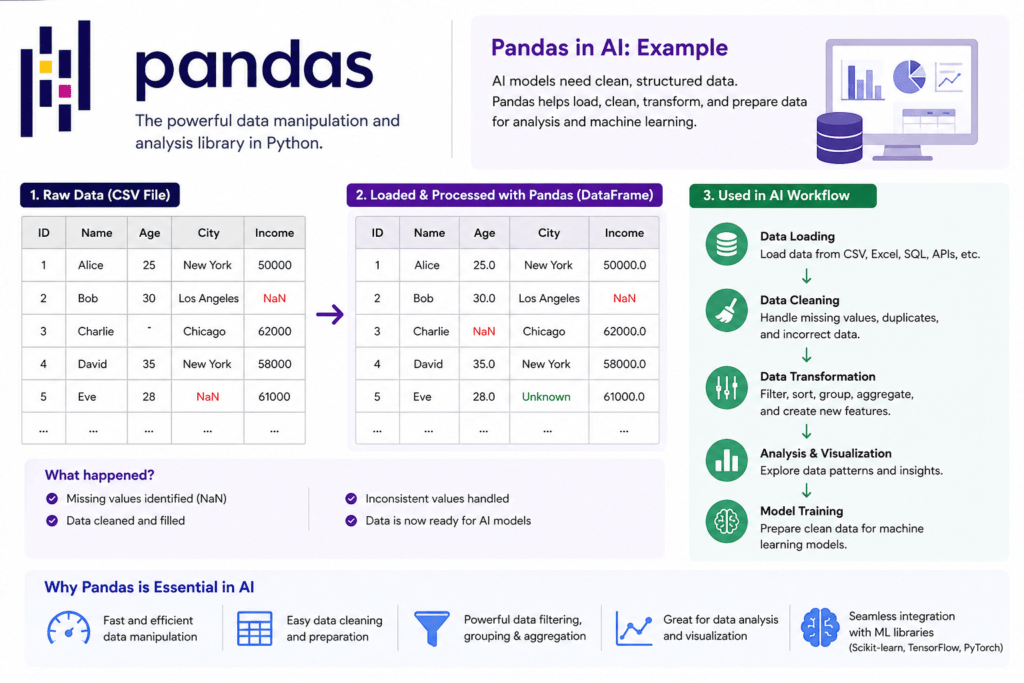
2. Pandas – The Data Whisperer
If NumPy is raw power, Pandas is refined elegance. It turns chaotic data into something readable and usable.
Why Pandas Matters
Real-world data is messy—missing values, duplicates, weird formats. Pandas helps you clean and structure it.
Core Data Structures
- Series → 1D data
- DataFrame → Table-like (rows & columns)
Key Operations
- Data cleaning (handling null values)
- Filtering & sorting
- Grouping & aggregation
- Merging datasets
Example
import pandas as pddata = {'Name': ['Moni', 'Arun'], 'Marks': [85, 90]}
df = pd.DataFrame(data)print(df[df['Marks'] > 80])
Real-World Use
- Business analytics dashboards
- Data preprocessing for ML
- Financial data analysis
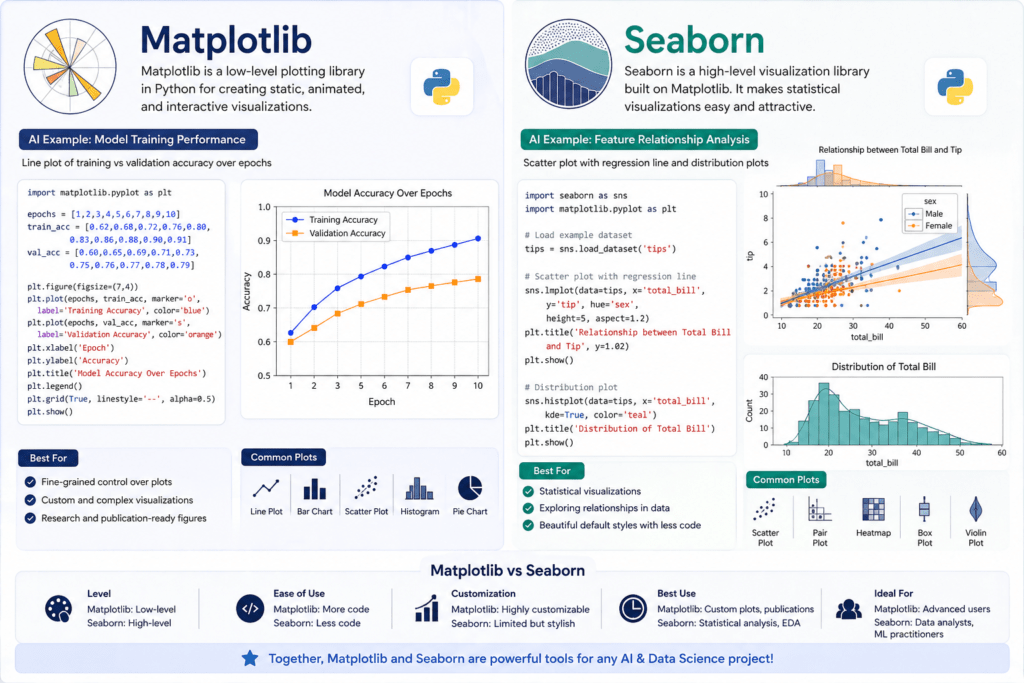
3. Matplotlib & Seaborn – Turning Data into Stories
Numbers alone are silent. Visualization gives them a voice
Matplotlib – The Foundation
Features
- Line plots, bar charts, histograms
- Full customization (colors, labels, styles)
Example
import matplotlib.pyplot as pltx = [1,2,3]
y = [10,20,30]plt.plot(x, y)
plt.show()
Seaborn – The Beauty Layer
Built on top of Matplotlib, but makes everything look polished with less effort.
Features
- Heatmaps
- Pair plots
- Distribution plots
- Built-in themes
Real-World Use
- Business reports
- Data storytelling
- Exploratory Data Analysis (EDA)
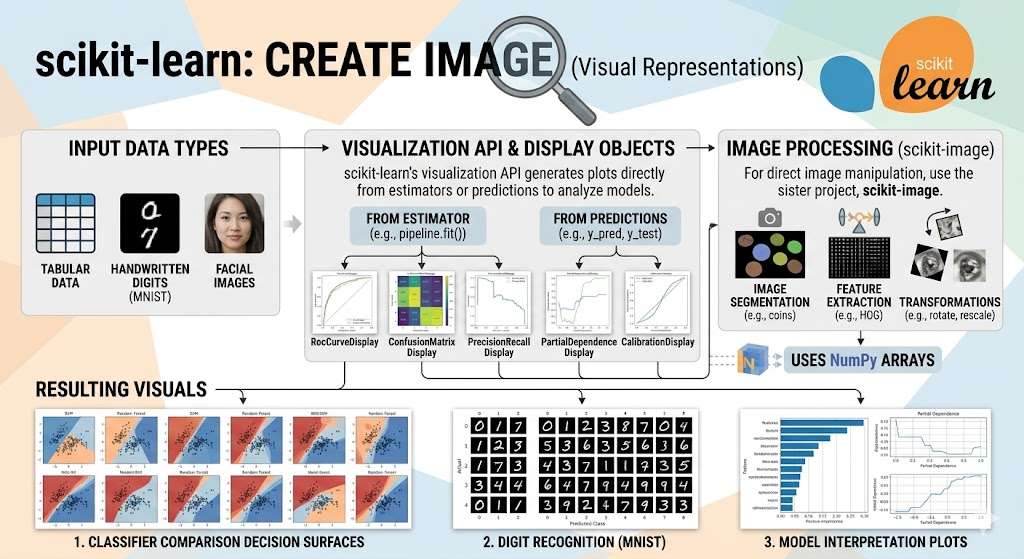
4. Scikit-learn – Your First AI Toolkit
This is where your journey shifts from data analysis to prediction
Why Scikit-learn Matters
It simplifies machine learning into easy steps:
- Load data
- Train model
- Predict
- Evaluate
Algorithms Included
- Linear Regression
- Logistic Regression
- Decision Trees
- K-Nearest Neighbors
- Clustering (K-Means)
Example
from sklearn.linear_model import LinearRegressionmodel = LinearRegression()
model.fit([[1], [2], [3]], [2, 4, 6])print(model.predict([[4]]))
Real-World Use
- Spam detection
- Recommendation systems
- Sales prediction
5. TensorFlow & PyTorch – Deep Learning Giants
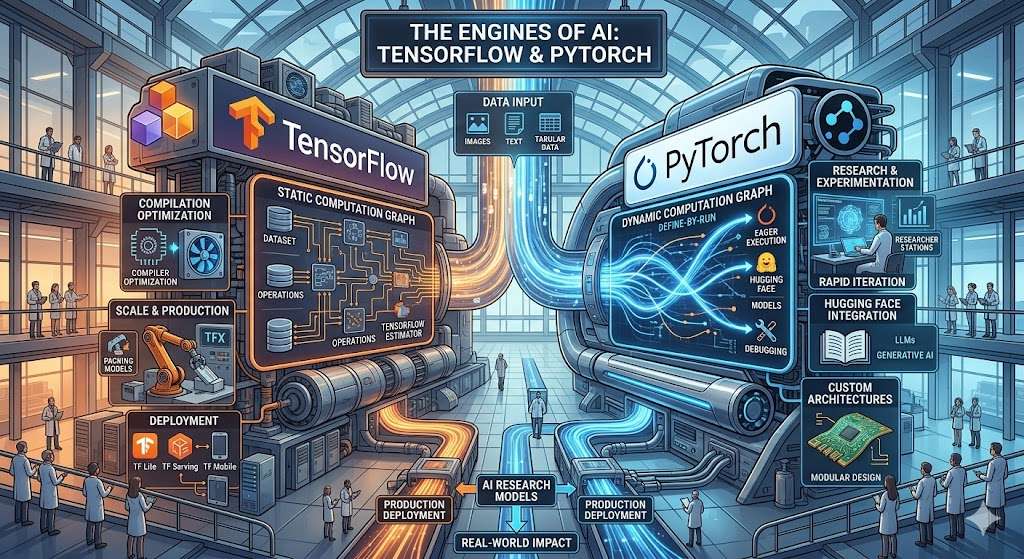
When your projects evolve from “smart” to “intelligent,” these libraries take over.
TensorFlow – Industry Giant
- Developed by Google
- Scalable for production
- Supports deployment on mobile & web
PyTorch – Beginner Friendly
- Developed by Meta
- Easier syntax
- Dynamic computation graphs
Example (PyTorch)
import torchx = torch.tensor([1.0, 2.0, 3.0])
print(x * 2)
Real-World Use
- Image recognition
- Chatbots (like AI assistants )
- Self-driving systems
6. OpenCV – Teaching Machines to See
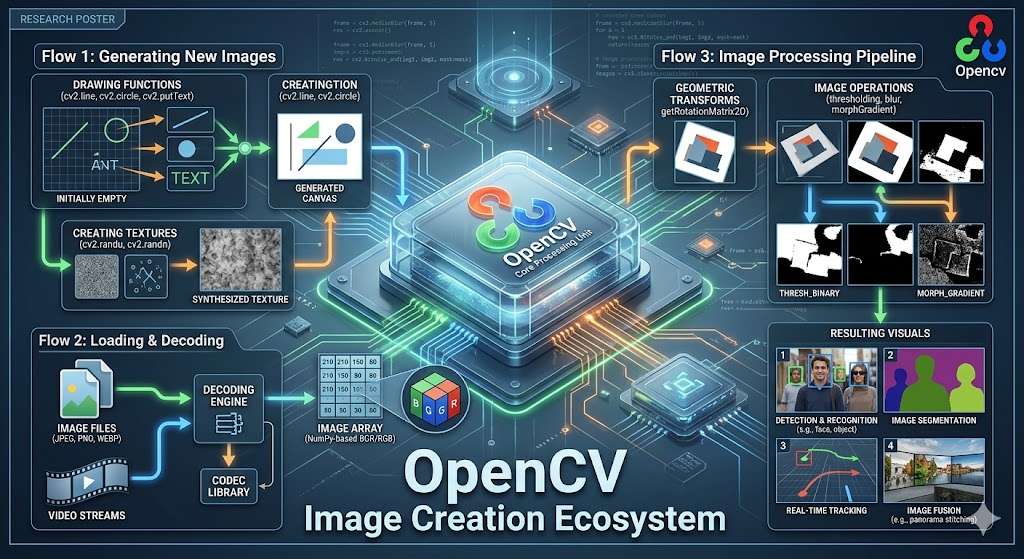
OpenCV is like giving eyes to your program
Features
- Image filtering
- Face detection
- Object tracking
- Video analysis
Example
import cv2img = cv2.imread('image.jpg')
cv2.imshow('Image', img)
cv2.waitKey(0)
Real-World Use
- Face unlock systems
- Surveillance
- Augmented reality
7. Statsmodels – Deep Statistical Thinking
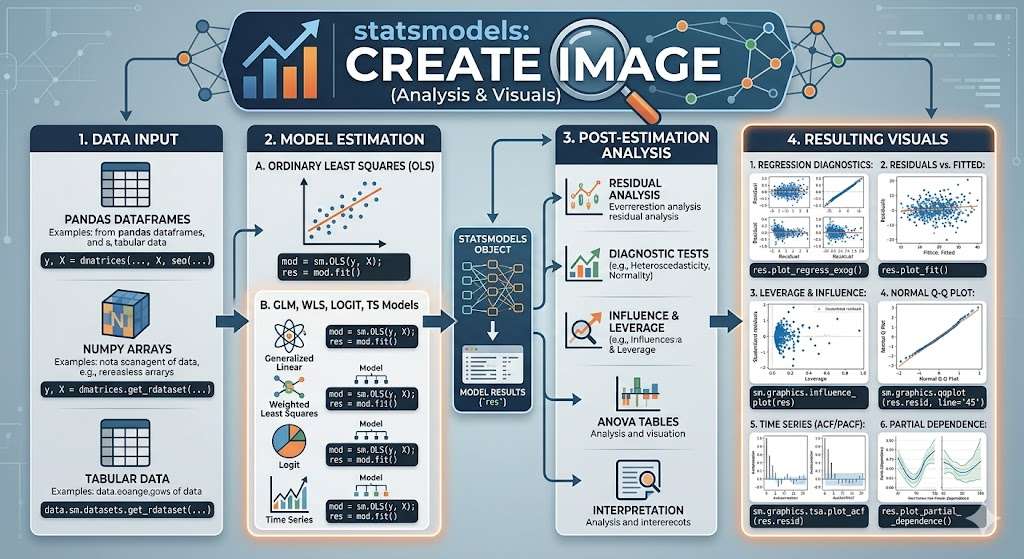
If Pandas is about handling data, Statsmodels is about understanding it deeply.
Features
- Hypothesis testing
- Regression analysis
- Statistical models
Real-World Use
- Economic forecasting
- Research analysis
- A/B testing
conclusion
Learning these libraries is like assembling your own AI toolkit
Each one has a role:
- NumPy → Speed & math
- Pandas → Data handling
- Visualization tools → Storytelling
- Scikit-learn → Machine learning
- TensorFlow/PyTorch → Deep learning
- OpenCV → Vision
- Statsmodels → Statistical insight




